NOBLE SEARCH
Free for personal use. Version 0.1.0 is on GitHub.
A job search portal for transitioning military and veterans
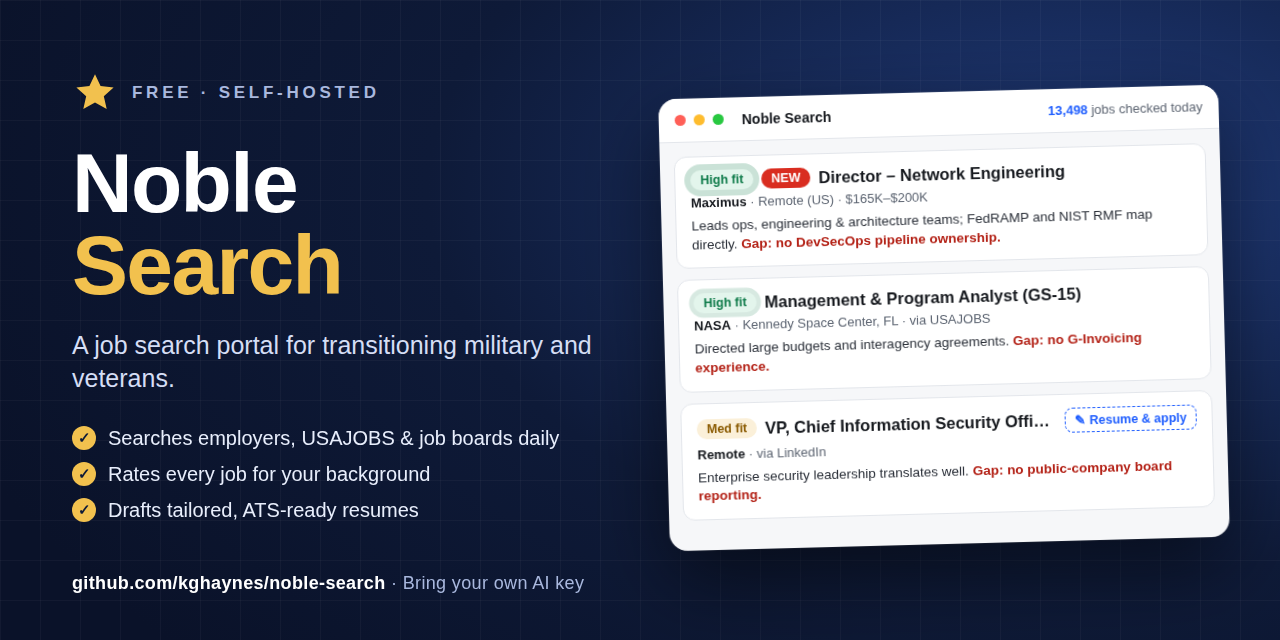
Noble Search runs on your own computer. Every weekday morning it searches the employers you pick, USAJOBS and the big job boards, rates each job for your background in plain civilian terms, and drafts a tailored resume and application text when you find one worth chasing.
Runs in Docker on Mac, Windows or Linux. You bring your own Claude API key.
Why a good military resume still gets filtered out
You did the work. The hard part is getting a recruiter, and the software in front of the recruiter, to see it.
Hiring software reads civilian words.
"Deputy Commanding Officer, 5,000 personnel" doesn't match a filter looking for "Chief Operating Officer." The experience is the same. The words aren't.
The jobs are scattered.
Defense and aerospace employers post on their own hiring sites, often days before the job boards pick it up. Federal jobs live on USAJOBS. Everything else is spread across LinkedIn, Indeed and the rest.
Tailoring every application takes hours.
Rewriting a resume and a Workday form for each posting is slow, and it's exactly the work that gets skipped in the middle of a transition.
What Noble Search does
It does the daily searching and the first draft. You make every decision.
Searches every weekday morning
Reads the hiring systems of employers you choose (Workday, Greenhouse, Lever and others), searches USAJOBS near home and remote, and runs your job-board searches through Google for Jobs. Duplicates are merged into one card.
Rates each job for you
Every new job gets a High, Medium or Low fit rating with a one-line reason in civilian terms and the gap it found, such as "gap: no FedRAMP experience." An optional morning email or phone alert sums it up.
Drafts the resume and the form text
One click writes a Word resume aimed at that job, built from your own resume file so fonts and layout match. Another writes the application text for Workday-style forms: summary, work history, screening answers and a cover letter.
A look inside
The jobs shown come from a real daily run.
-
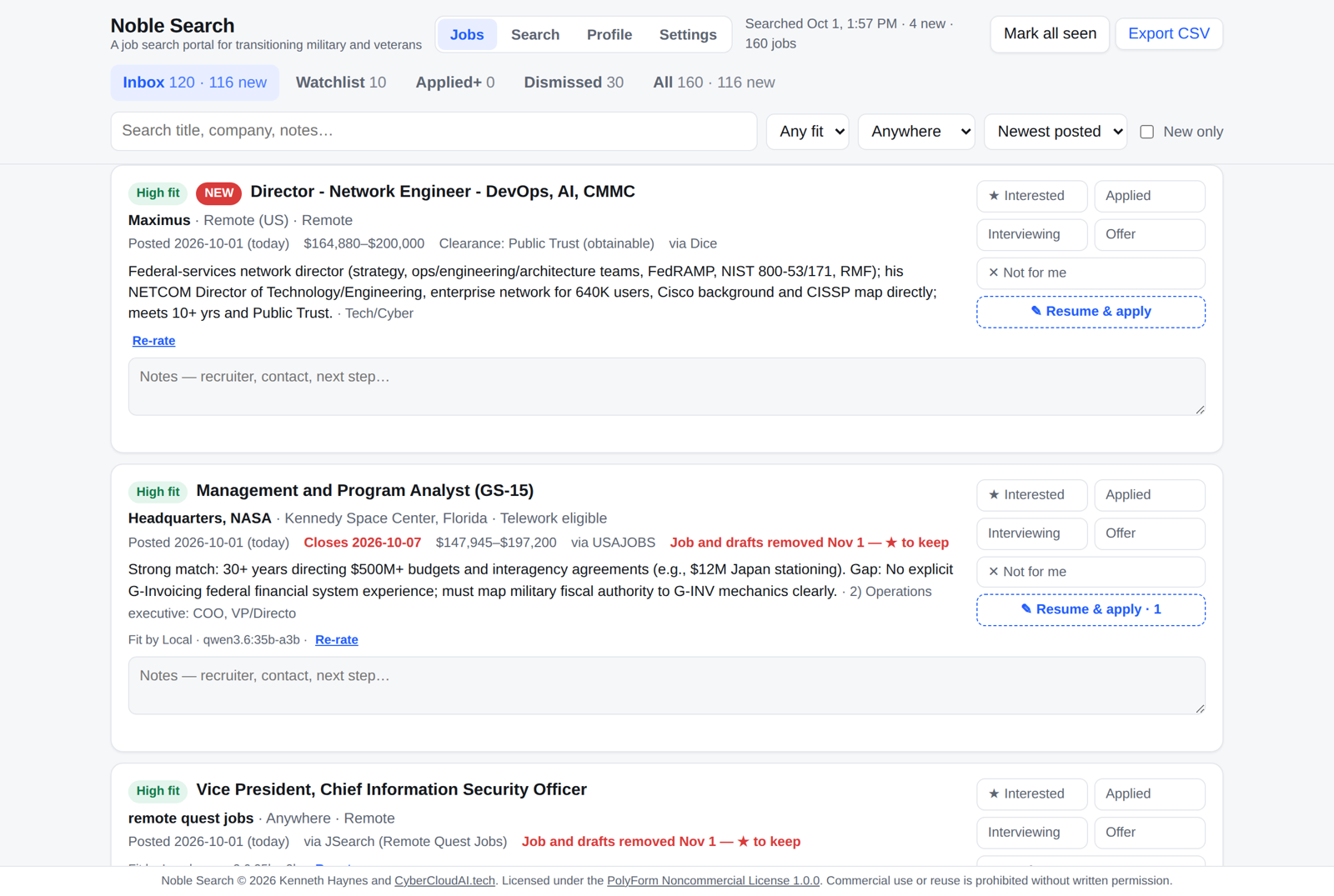
Every job is rated High, Med or Low, with the reason and the gap spelled out. -
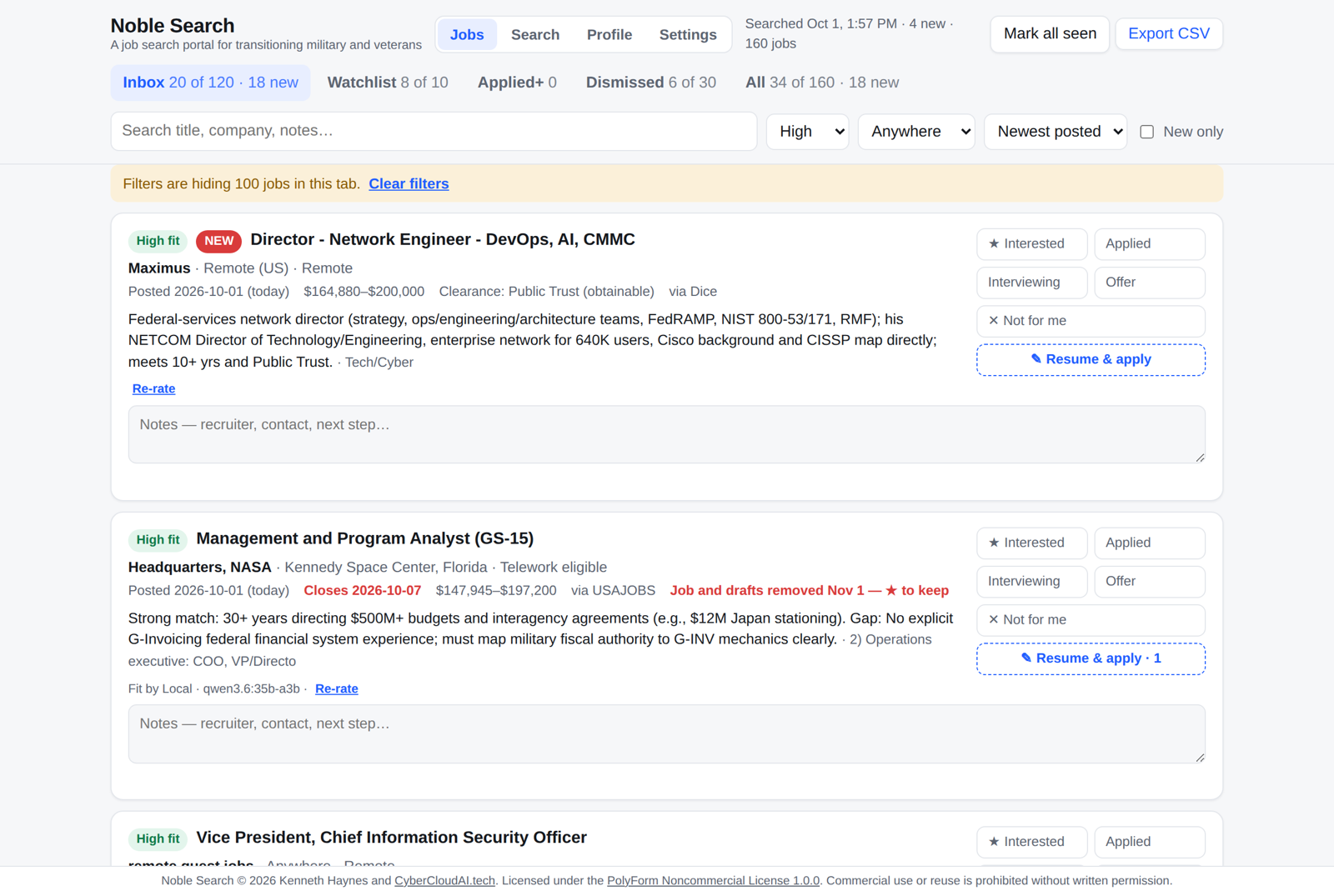
Filter to High fit and start there. -
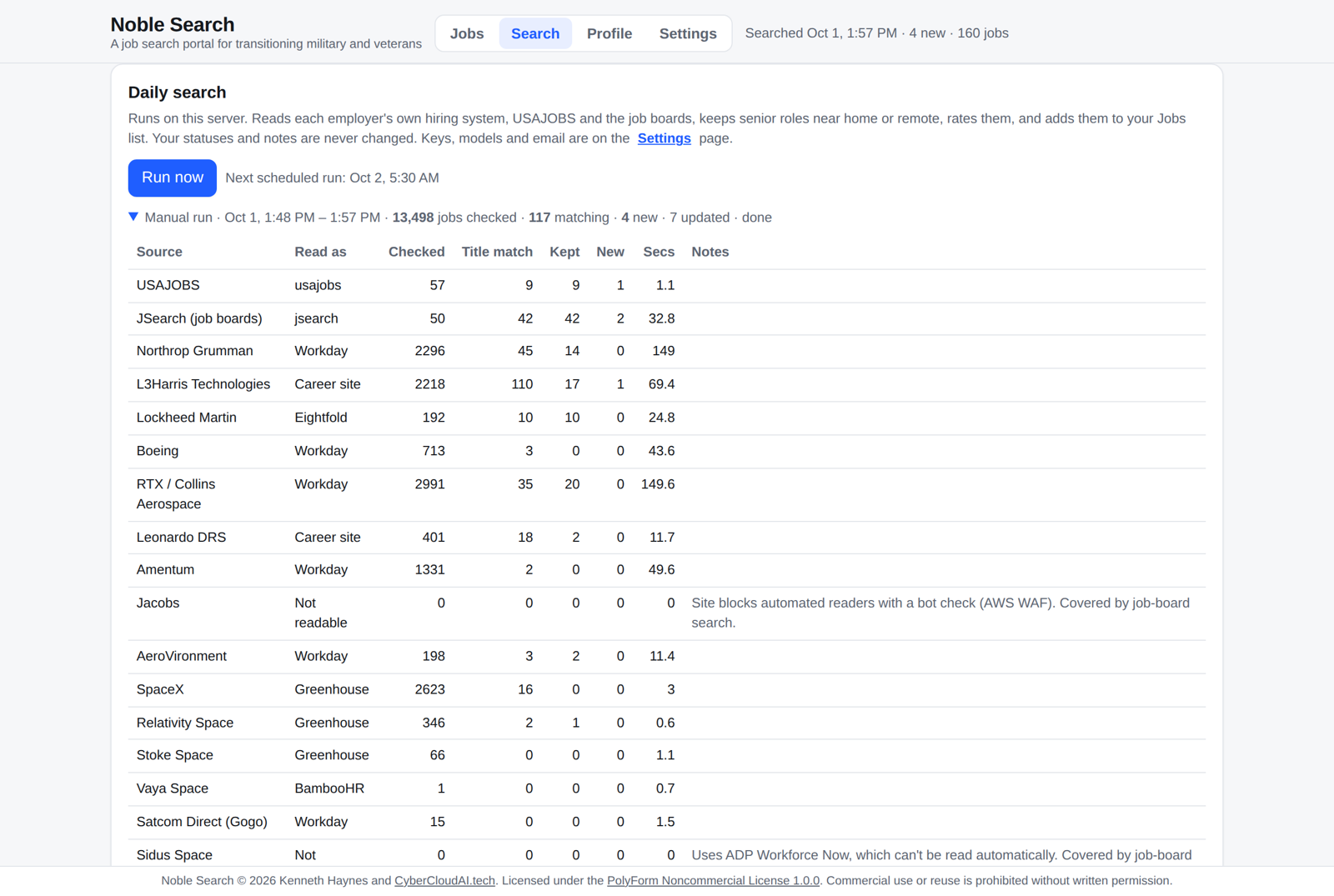
One daily run covers employer sites, USAJOBS and the job boards. -
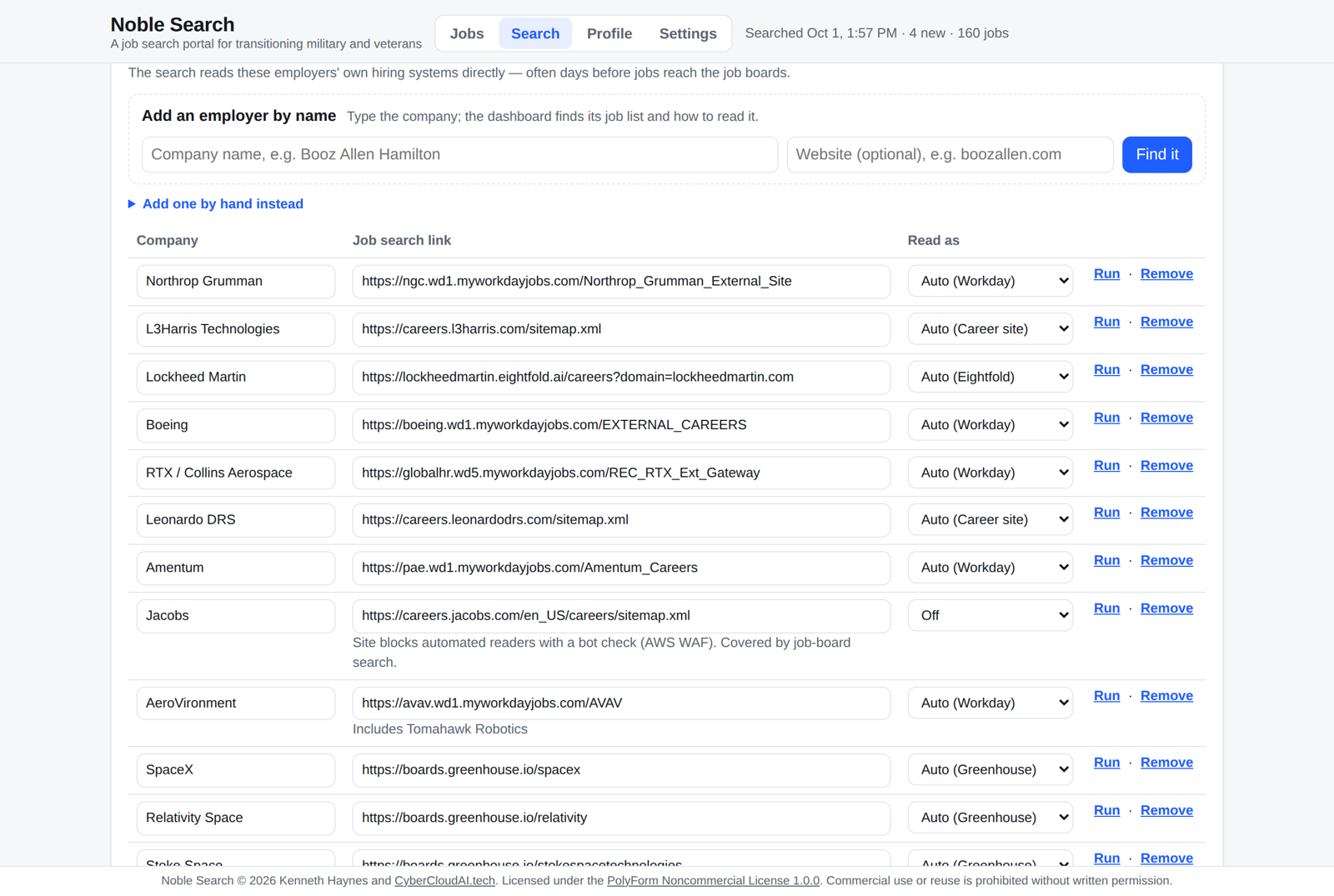
Type an employer's name. It finds their job list and checks that it can read it. -
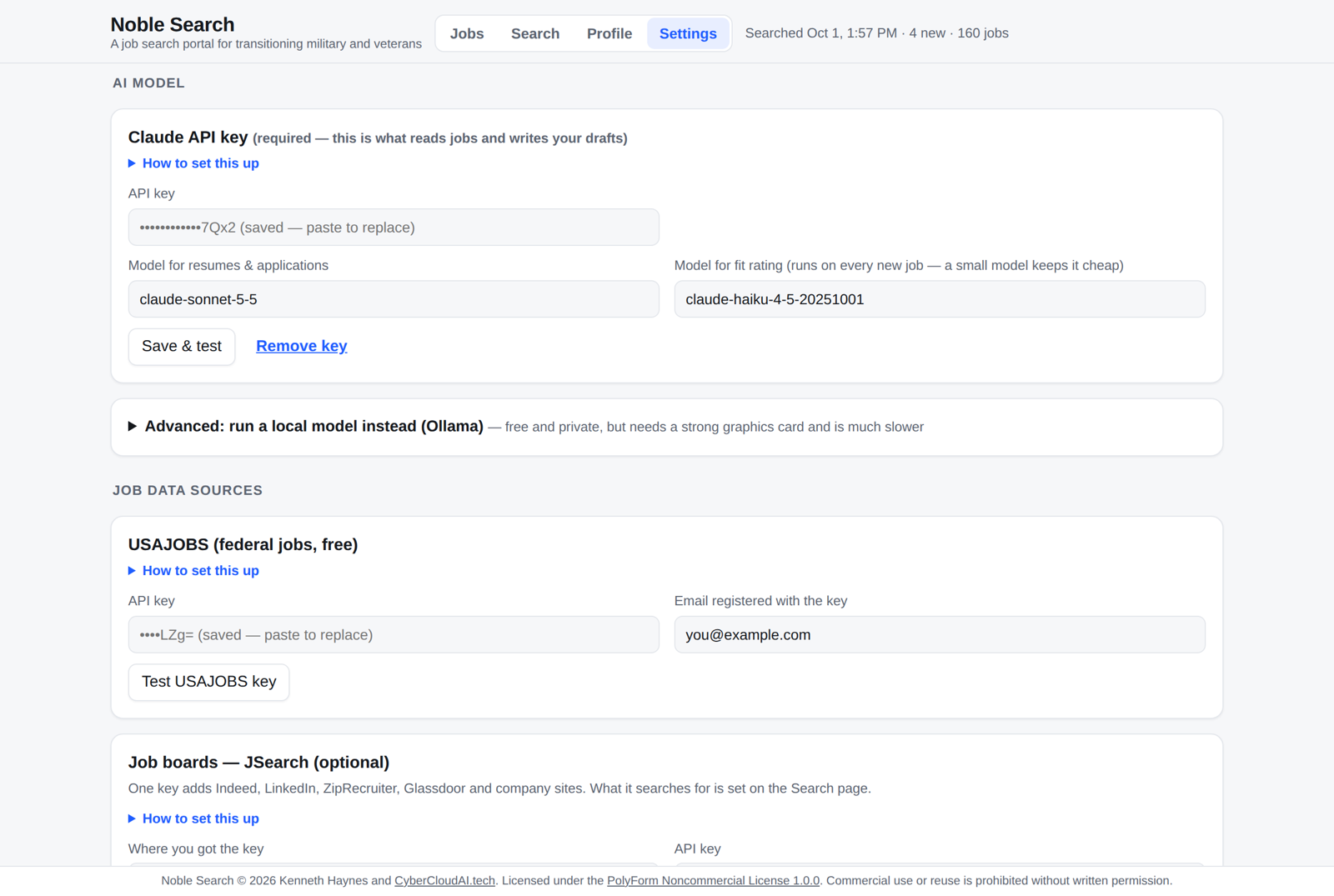
Bring your own keys. Each one has step-by-step setup and a Test button. -
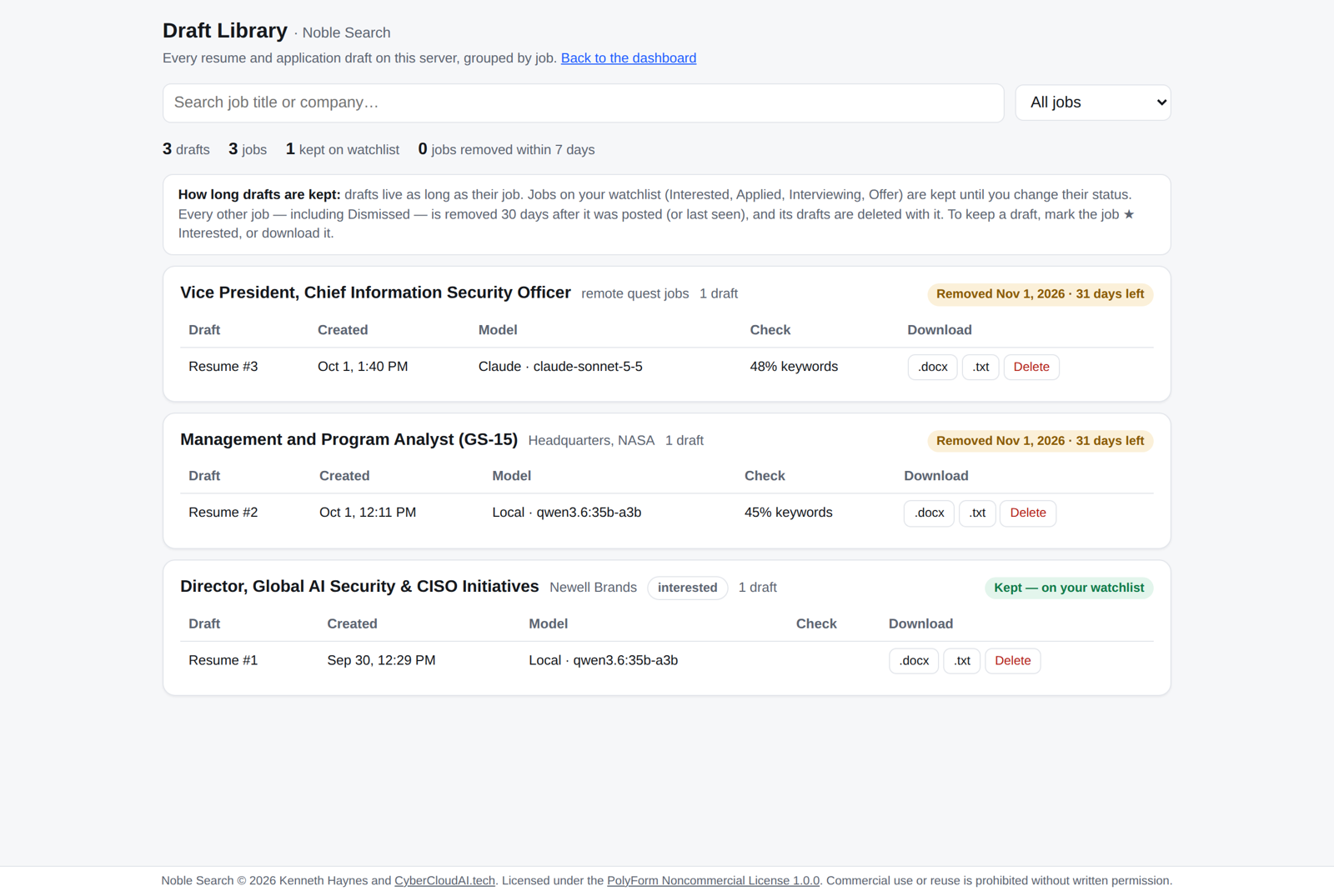
Every resume and application draft, grouped by job, ready to download. -
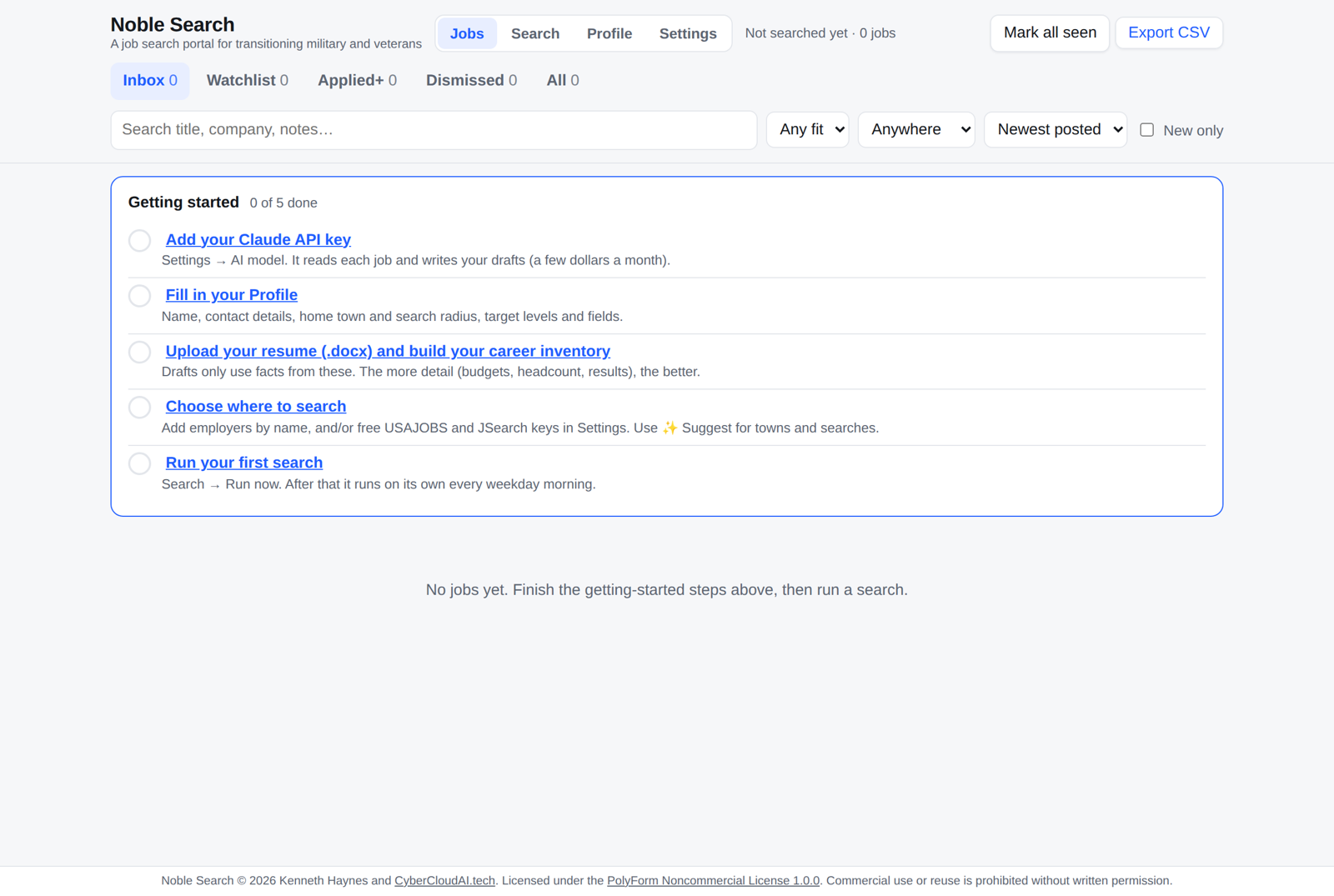
A five-step checklist walks you through first-time setup. -
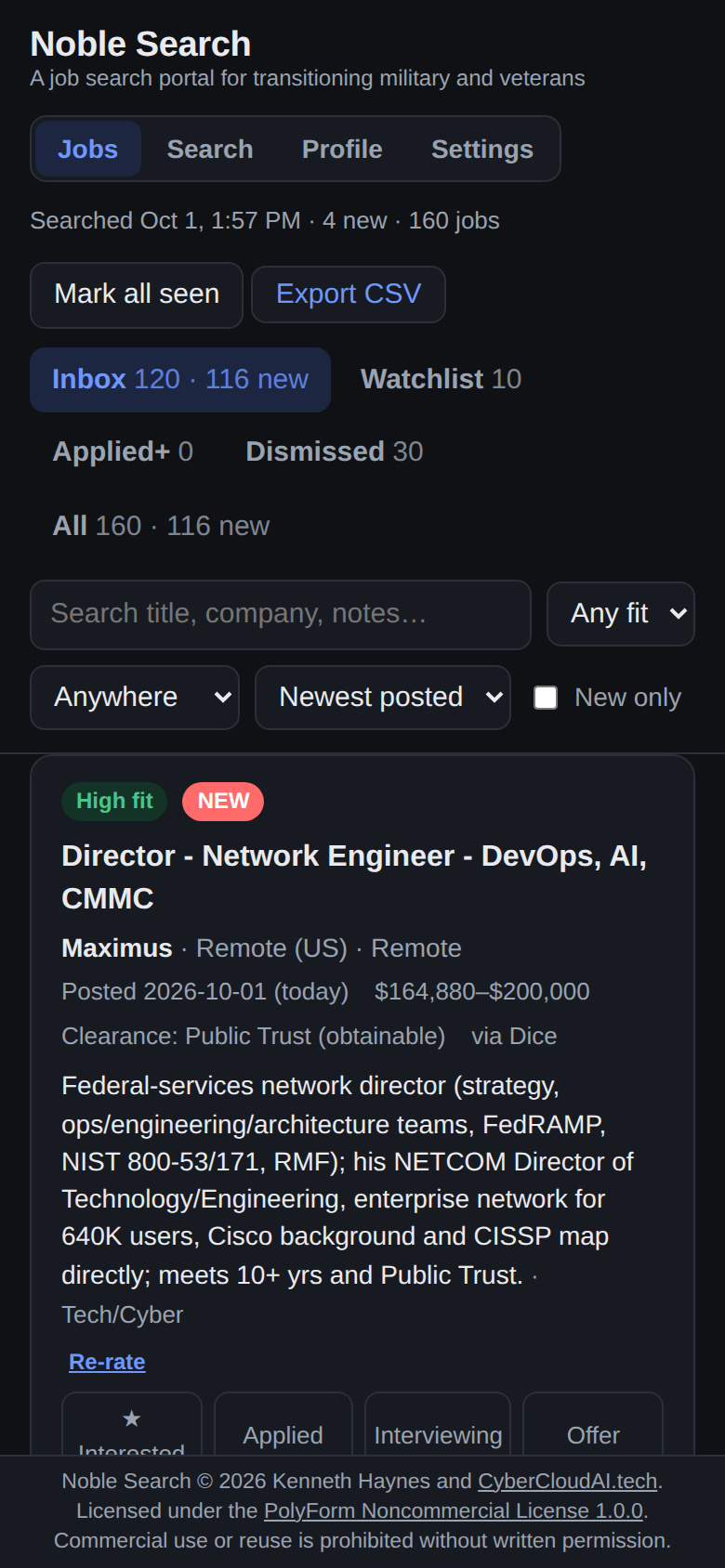
Check it from your phone
The page works on a phone, in light or dark mode. Install Tailscale on your computer and your phone and you can open Noble Search from anywhere over a private network, without exposing anything to the internet.
You stay in control
It only uses facts you gave it.
Ratings and drafts are built from your profile and career inventory, nothing else. Every number in a resume draft is checked against what you entered, and anything it can't trace is marked "to verify" so you catch it before an employer does.
Noble Search will never
- Fill in or submit an application for you
- Make up experience, numbers or titles
- Try to get past a website's bot check
What it costs and what you need
The software is free for personal and noncommercial use. The AI is pay-as-you-go on your own account.
Typical monthly cost
| Claude API (the AI) | About $2 to $10 a month for fit ratings, plus 5 to 15 cents per draft. Prepaid credit, nothing charged automatically. |
|---|---|
| USAJOBS (federal jobs) | Free key |
| JSearch (LinkedIn, Indeed and others) | Free plan, enough for about 7 searches every weekday |
| Morning email or phone alert | Free |
Prefer nothing leaves your machine? It can run a local model through Ollama instead of Claude. It's slower and needs a strong graphics card.
What you need
- A Mac, Windows PC or Linux machine that's on (or wakes up) in the morning
- Docker (free), plus about 1 GB of disk space
- Your resume as a Word (.docx) file
- $5 to $10 of prepaid Claude API credit
Start it with a few commands
git clone https://github.com/kghaynes/noble-search.git
cd noble-search
cp .env.example .env
docker compose up -d --build
Then open http://localhost:8093. No programming needed; the README explains every step, including installing Docker.
Your data stays on your computer
Stored locally
Jobs, notes, your profile, resumes and drafts all live in a data folder on your own machine. There's no account, no sign-up and nothing reported back to us.
What gets sent out
Only what each step needs. When it rates a job or writes a draft, your profile and the posting go to the Claude API. Job sites only see searches (titles and your town), never your profile.
Locked down by default
Only the computer it runs on can open the page until you change that. Keys are never sent to the web page; it only shows their last few characters.
Common questions
Is Noble Search free?
Yes, for personal job searching and other noncommercial use. It's licensed under the PolyForm Noncommercial License 1.0.0, which makes it source-available rather than open source. Charities, schools, public-safety and government organizations can use it too. Selling it or offering it as a paid service needs written permission from CyberCloudAI. The only running cost is your own Claude API usage.
Is it a job board?
No. It doesn't post jobs or replace job search services. It searches the places jobs are already posted, rates what it finds for your background, and helps you write the application. You apply on the employer's own site.
Do I need to know how to program?
No. You install Docker, copy and paste a few commands, and do the rest in your web browser. The README walks through every step for Mac, Windows and Linux, and first-time setup takes about 30 minutes.
How does it translate military experience?
You write a career inventory once: every role, headcount, budget and result, plus your own civilian translations of military titles. Ratings and drafts use those civilian terms, so "Deputy Commanding Officer, 5,000 personnel" becomes "Chief Operating Officer-level leader of a 5,000-person organization." It only uses facts you entered.
Which employers can it search directly?
Employers whose hiring systems run on Workday, Greenhouse, Lever, Ashby, SmartRecruiters, BambooHR or Eightfold, plus career sites that publish structured job data. Sites behind a bot check, or on systems like iCIMS, Taleo or ADP, can't be read directly, but their jobs often still show up through the job-board search.
Is my data used to train AI?
Anthropic's commercial terms say data sent through the Claude API isn't used to train their models. If you'd rather nothing leave your computer at all, you can run a local model through Ollama instead.
Will it apply to jobs for me?
No, and that's on purpose. It drafts the resume and the application text. You read every line, fix anything marked "to verify," and submit it yourself.
Is it affiliated with the DoD, the VA or USAJOBS?
No. Noble Search is an independent project by CyberCloudAI and isn't affiliated with or endorsed by the Department of Defense, the Department of Veterans Affairs, USAJOBS, any employer or any job board.
Where do I get help or report a bug?
Ask questions in the GitHub Discussions Q&A, and open a GitHub issue for bugs, ideas or an employer it can't read.
Get Noble Search
Download it from GitHub, follow the README, and your first search can run this morning. If it helps you land something, star the repo so other veterans can find it.
Questions? Ask in GitHub Discussions
Noble Search is built by CyberCloudAI Consulting, a service-disabled veteran-owned small business in Melbourne, Florida.
AI-written drafts can contain mistakes. Read and check every draft before you send it.